9 Best AI Marketing Tools in 2026 for Small Teams | Tomako
Blog content updates automatically
9 Best AI Marketing Tools in 2026 for Startups and Small Teams
Find the right tool for research, content, design, social publishing or customer follow-up. This shortlist explains what each product does well, what users report and who should choose it.
This shortlist compares nine AI marketing tools for startups, small teams and indie developers, covering planning, research, writing, design, social publishing and customer follow-up.
Tool
Best for
Key strength
Limitation
Price
Tomako
Teams tackling product growth and marketing challenges
Brand context, growth opportunities and project work in one place
Newly launched, without an established user base or real user feedback
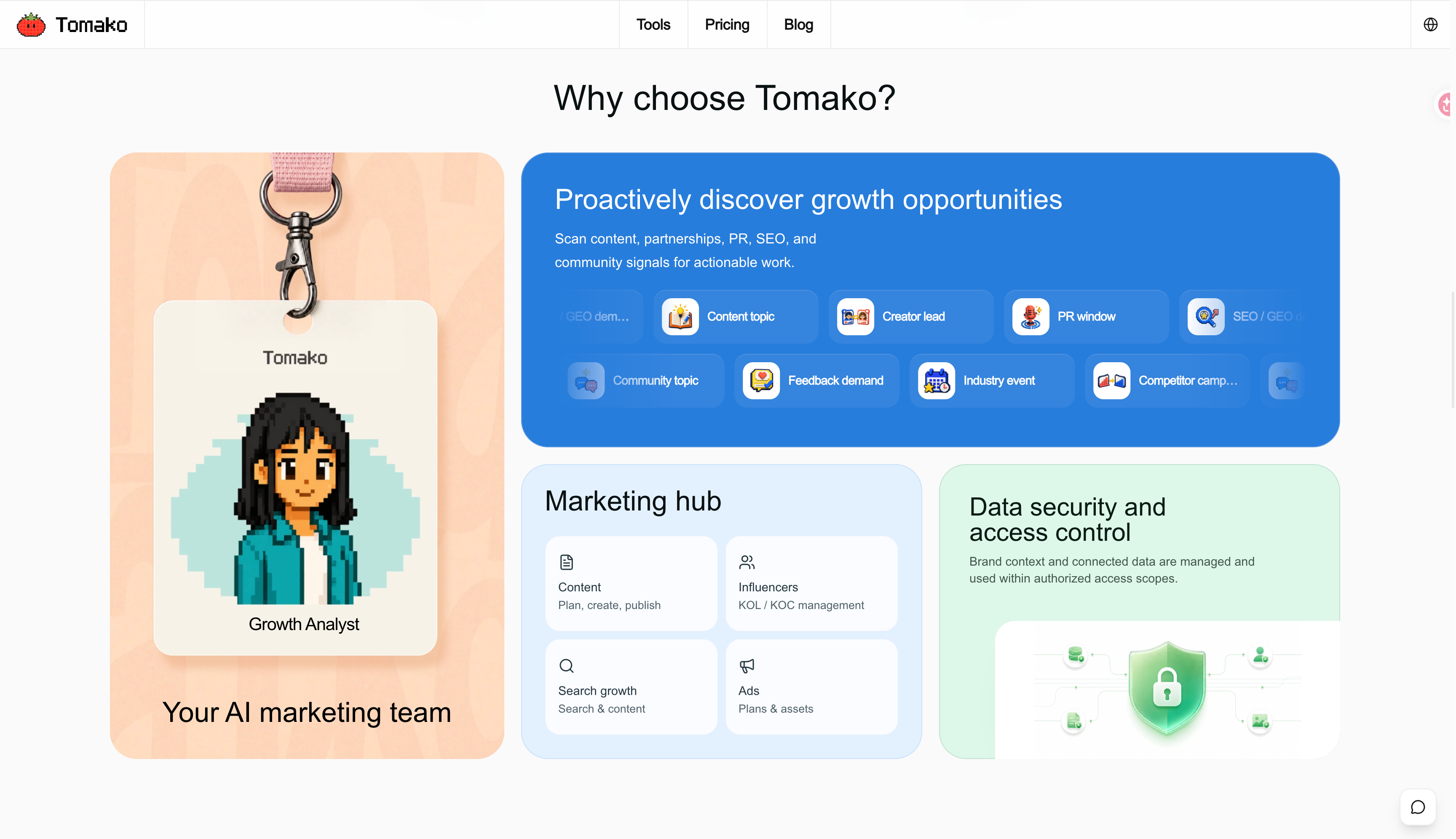
Your product is ready. Your marketing is still scattered across a launch post, a creator list and a few SEO ideas. What should happen next? Tomako is built around bringing that work together.
Core features
Its AI CMO approach connects your product, audience, positioning and brand assets with marketing projects. Its direction is to find opportunities in search, communities and creator partnerships, then turn them into content, visuals and tasks you can review and continue.
Tomako’s OG Image Generator accepts a URL or brief and offers editable title, template and color directions. You can adjust the preview and download a PNG, JPEG or WebP for your site’s shared-link image.
Ideal users
Indie developers and founders who manage both product and marketing.
Pricing
Starter costs $192 for the first year, equivalent to $16/month, then renews at $228/year. It includes one product and 2,000 AI points per month. All plans include the same Agents and specialist tools; higher plans increase allowances and product capacity.
Pros and cons
Pros: Connects brand context with marketing projects and work history.
Cons: Newly launched, without an established user base or real user feedback.
2. Claude: best for turning research into clear copy
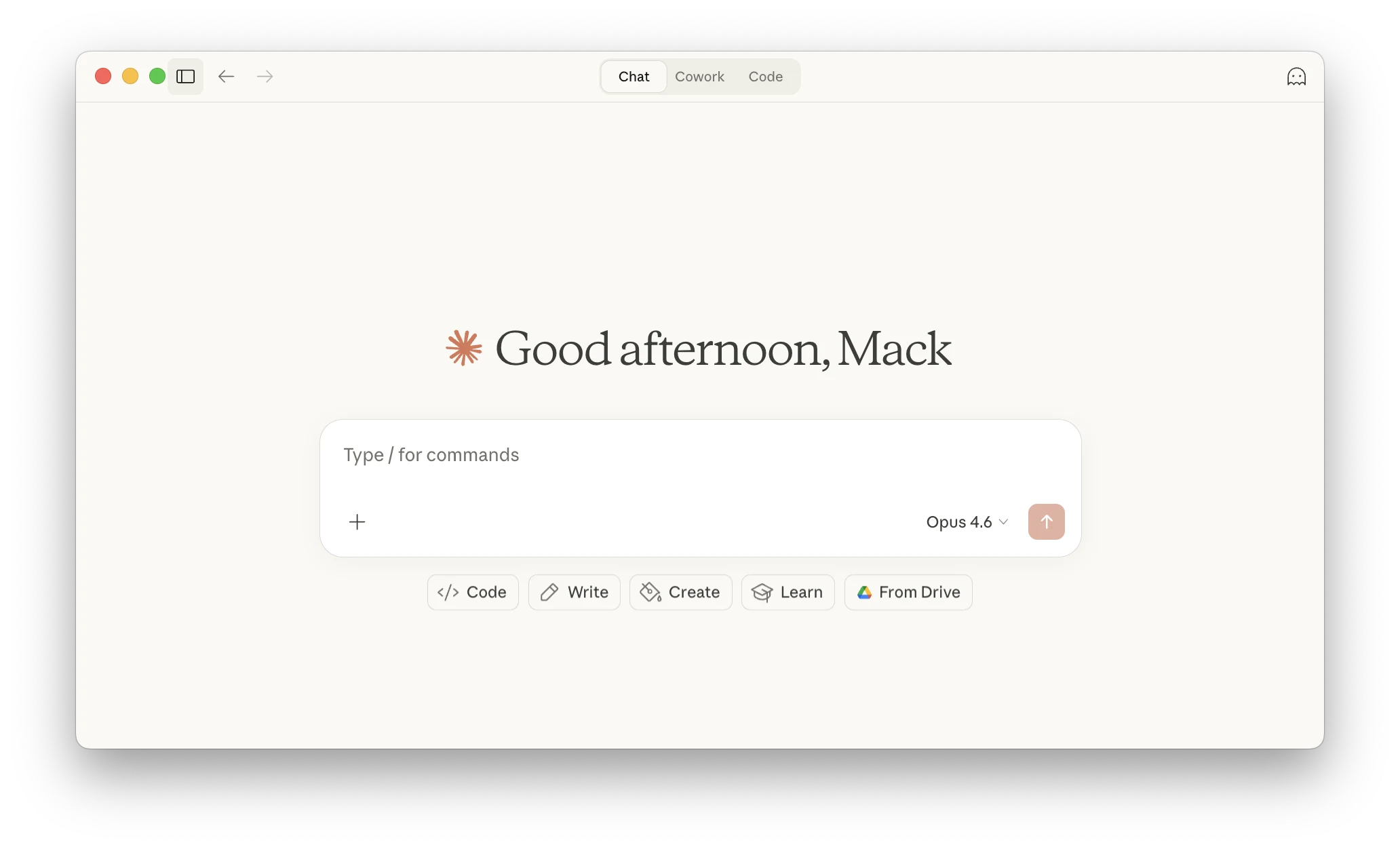
Claude is a strong starting point when you have customer notes, product details and half-formed ideas, but no clear message. You can use a Project to keep reference material together, compare possible angles in conversation and develop the strongest one into a landing page or launch email.
Core features
For example, a founder can bring interview notes and ask which objections appear repeatedly, then work on copy that answers those objections. The advantage over a short-form copy generator is the room to reason through the material before writing the headline. Web search and Research also help with source gathering.
Ideal users
Founders and marketers analyzing customer research, developing positioning and drafting copy.
Pricing
Free is available. Pro is $20/month, or $200 paid annually. Usage limits vary by model and workload; long research sessions can consume the allowance faster than short edits.
Pros and cons
Pros: Supports source analysis, idea development and copy revision in one conversation.
Cons: Voice matching needs edits; publishing still needs a separate workflow.
User feedback
In a marketing discussion, a B2B SaaS marketer describes separate Projects for paid media, newsletters and website copy. Each has its own audience details and examples. That is a concrete way to make the assistant useful across repeat work. But a solopreneur reports robotic copy despite a voice file. Choose it for the research-to-draft process, not a guarantee that the first version sounds like you.
3. Canva: best for making campaign assets without a designer
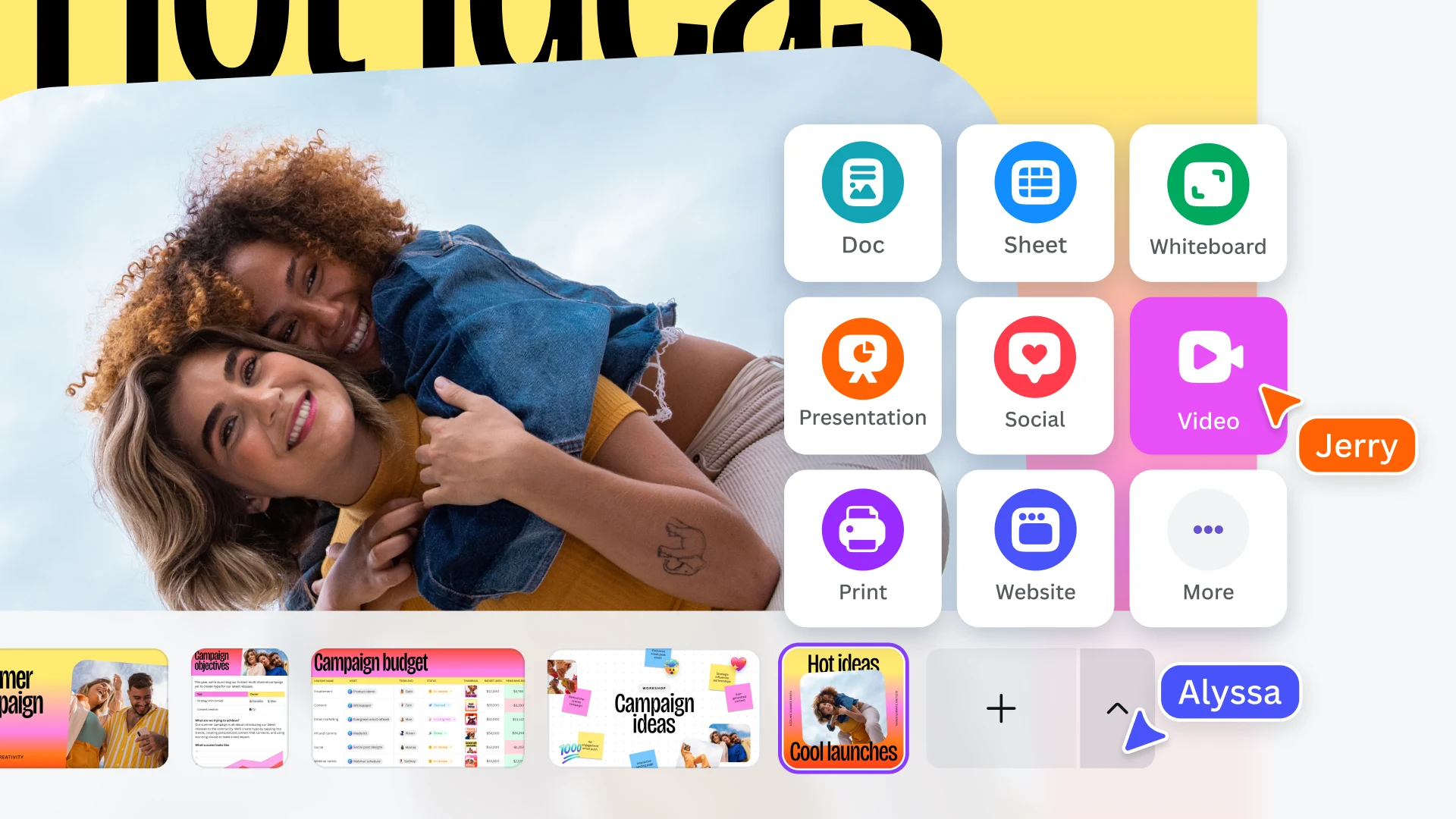
Canva is useful when the words are ready but the announcement still needs a graphic, a slide and a different crop for social media. Start with a template, add your product screenshot and brand colors, then adapt the design rather than rebuilding each asset.
Core features
Its AI tools sit inside a practical editor: background removal, image editing and translation help with individual steps, while Brand Kit keeps logos, fonts and colors close at hand. The main benefit is getting from an idea to an editable, reusable design.
Ideal users
Small teams making social graphics, presentations and brand assets.
Pricing
Free is available; individual Pro is $180/year. AI allowances vary by feature, so the paid design subscription is not unlimited AI generation.
Pros and cons
Pros: Templates, brand assets and resizing in one editor.
Cons: Templates need design judgment, and AI results may not fit the brand.
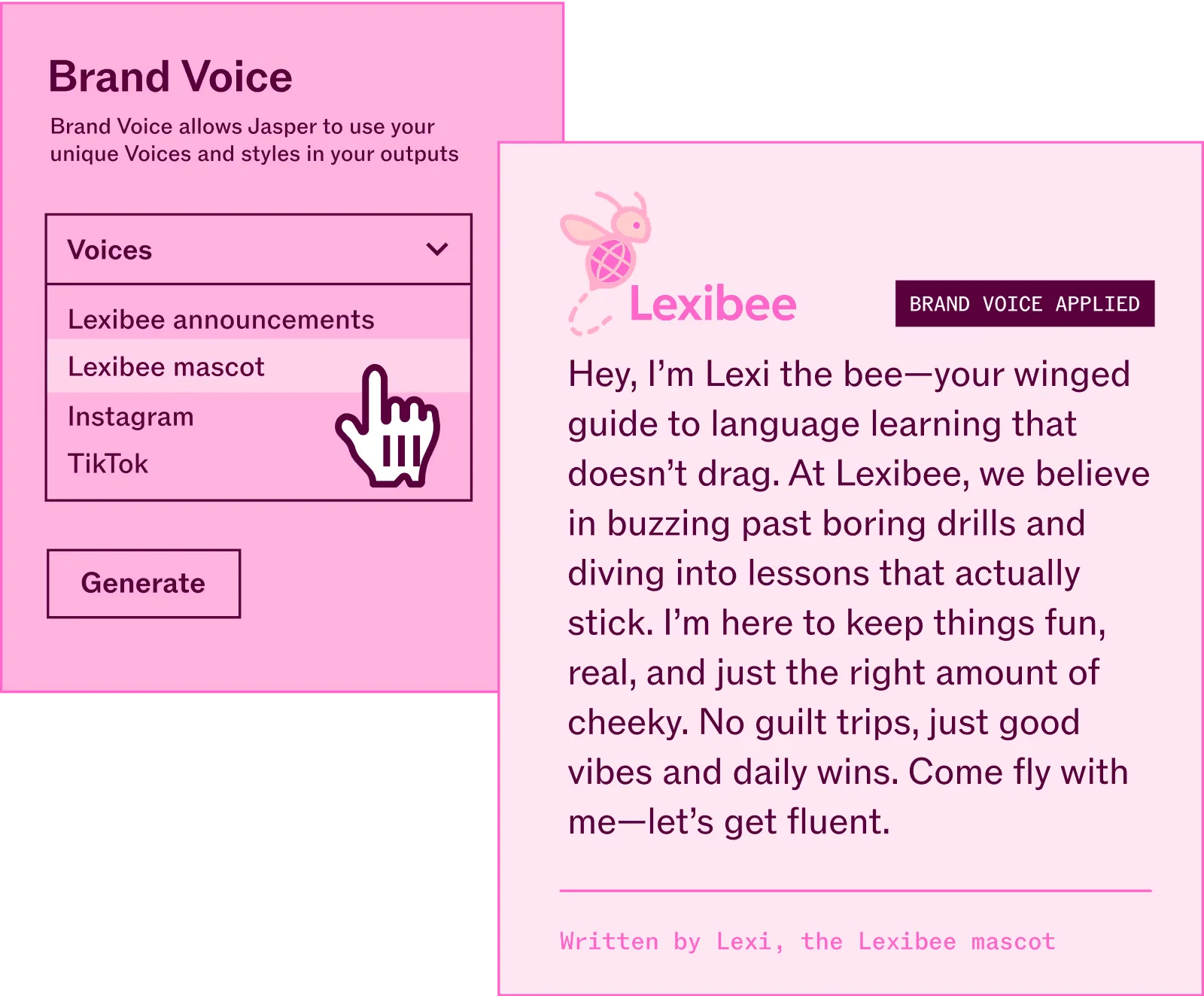
Jasper is worth a closer look when a team keeps producing related content: a launch email, landing-page copy, social posts and follow-up messages that need to sound like the same company.
Core features
Its Canvas and marketing agents use saved Brand Voices, Knowledge assets and Audiences. This gives recurring work a common starting point. A product marketer can set the product facts and audience once, then develop the campaign's different pieces around them.
Ideal users
Content teams producing recurring email, landing-page and social campaigns.
Pricing
Pro is $69/seat/month, or $59/month billed annually. It includes one seat, two Brand Voices, five Knowledge assets and three Audiences. Teams needing more users move to Business pricing. The seven-day trial requires a card and becomes paid unless canceled.
Pros and cons
Pros: Reusable brand voice, product knowledge and audience settings.
Cons: Higher entry cost; generated copy still needs editing.
User feedback
An October 2025 user account describes weak tone and structure even after prompt changes. A July 2025 Trustpilot reviewer instead valued Jasper Chat for guiding article creation. These older, individual experiences do not settle current output quality. They do make the decision clearer: buy for a workflow that suits you, rather than assuming a specialist subscription automatically writes better copy.
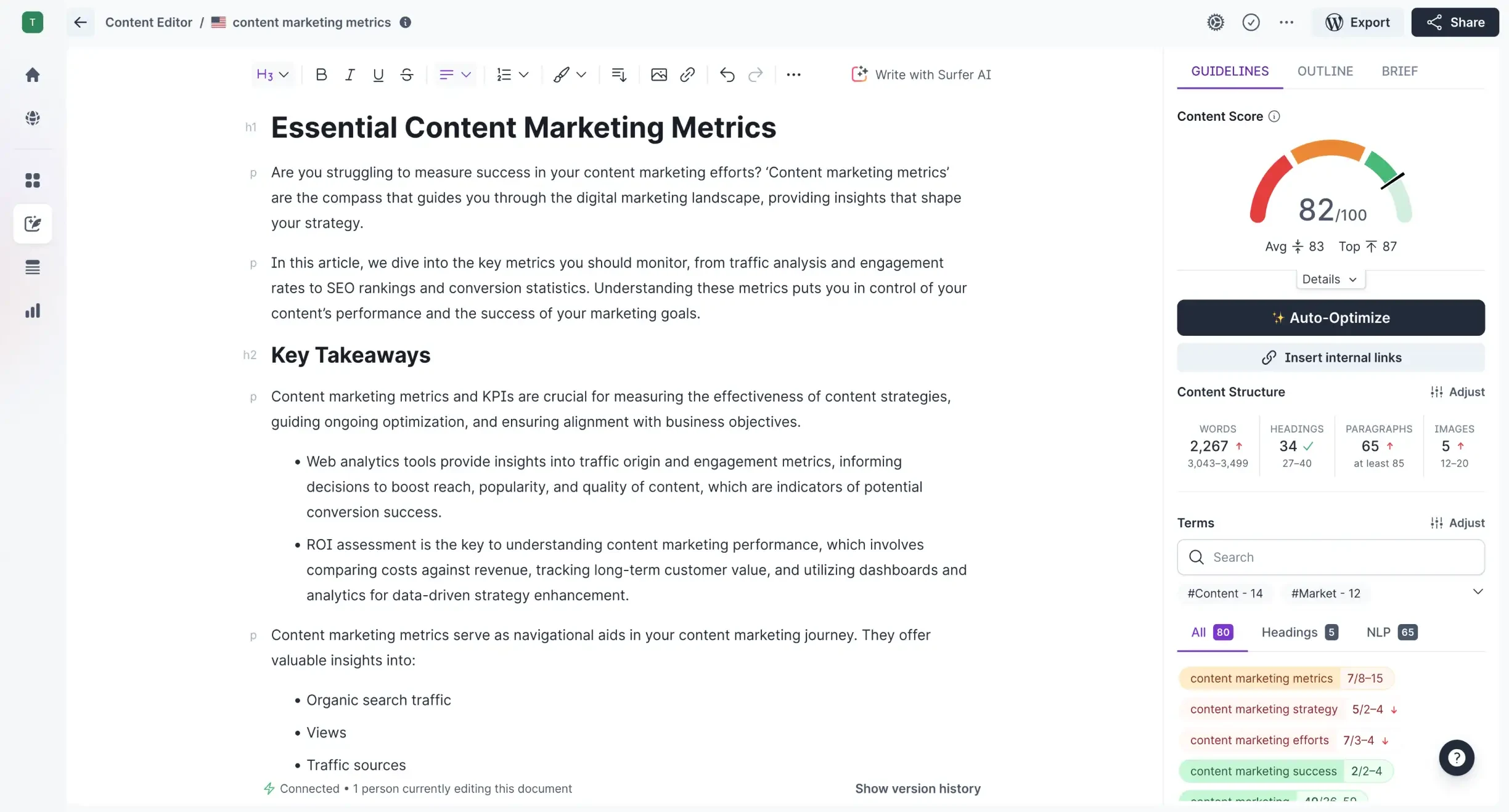
Surfer gives an SEO writer a view of the draft alongside search-based guidance: related terms, topic coverage and a content score. Its outline tools and Surfy assistant help turn those suggestions into edits.
Core features
That makes it useful when you already publish articles and want to spot what a draft misses. For a comparison article, the useful finding might be an unanswered question about compatibility or cost. The editorial job is deciding whether that missing topic matters to the reader.
Ideal users
SEO editors, content teams and agencies with an ongoing publishing program.
Pricing
Discovery is $49/month billed yearly, with 120 create/optimize documents allocated for the year. That is an annual pool, not 120 articles every month. It suits an ongoing publishing program more than a single article.
Pros and cons
Pros: Brings topic and term coverage checks into the editing workflow.
Cons: Scores do not guarantee rankings; added claims still need checking.
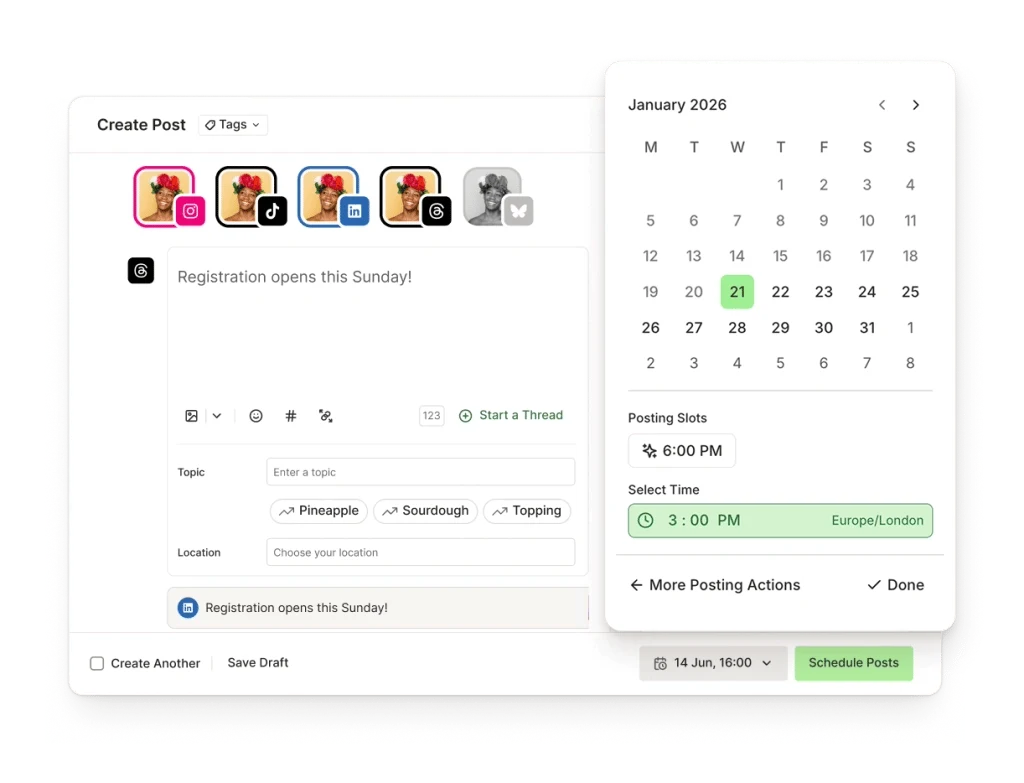
Buffer brings drafting and scheduling into the same workflow. Its AI Assistant can shorten a post, change its tone or turn longer content into social copy. You can then adapt the post for each channel and place it in the publishing queue.
Core features
This is useful for a founder who writes in batches but wants posts to appear through the week. The value is visible in the calendar: you can see what is ready, what is scheduled and where there is a gap.
Ideal users
Founders, creators and small teams managing several social channels.
Pricing
Free supports three channels and ten queued posts per channel. Slots reopen as posts publish. Essentials is $60 per channel per year; Team adds approvals and access controls. Channel-based pricing matters if you manage several brands.
Pros and cons
Pros: Keeps drafts, channel versions and publishing queues together.
Cons: Some native formats require manual posting, and more channels add cost.
User feedback
A Buffer user praises the previews and layout warnings, but says Instagram posts with music need a manual handoff. The practical limit is the exact format you publish: a standard scheduled post and a post needing native music features may follow different workflows. Buffer is appealing for a steady publishing queue; it is less hands-off when your content depends on those native features.
7. Descript: best for editing demos and interviews through text
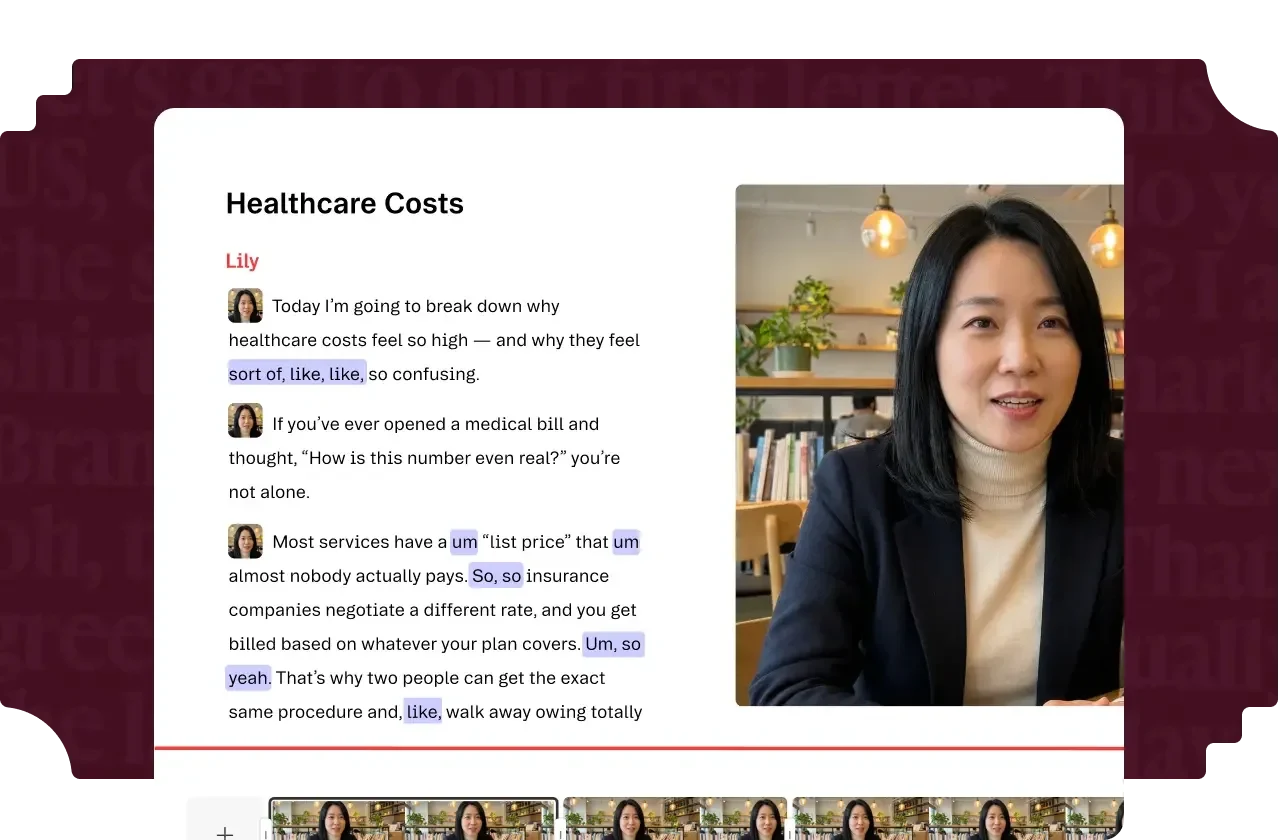
Descript's defining feature is text-based editing: cutting words from a transcript cuts the corresponding part of the recording. For a spoken product demo or interview, that can be easier to follow than finding every edit on a timeline.
Core features
Studio Sound helps clean up speech; filler-word removal handles verbal clutter; Create Clips finds shorter pieces in longer recordings. A founder with a recorded walkthrough can tighten the explanation and turn useful moments into shorter videos with captions.
Ideal users
Podcasters and people making interviews, product demos and talking-head videos.
Pricing
Free includes one media hour per month and a one-time allowance of 100 AI credits. Hobbyist is $24/person/month, or $16/month billed annually, with ten media hours and 400 AI credits per month. It includes watermark-free 1080p export.
Pros and cons
Pros: Transcript editing makes collaboration between hosts and editors easier.
Cons: Automated cuts can affect pacing; complex visuals need other editing tools.
User feedback
In a podcasting discussion, one user describes a useful split: the host marks cuts and comments in the transcript, then an editor finishes the recording. Others report awkward pacing after automated edits. That points to a clearer strength than “AI makes videos”: Descript helps people who understand the conversation participate in the edit without learning a full video timeline.
8. Zapier: best for connecting the marketing tools you already use
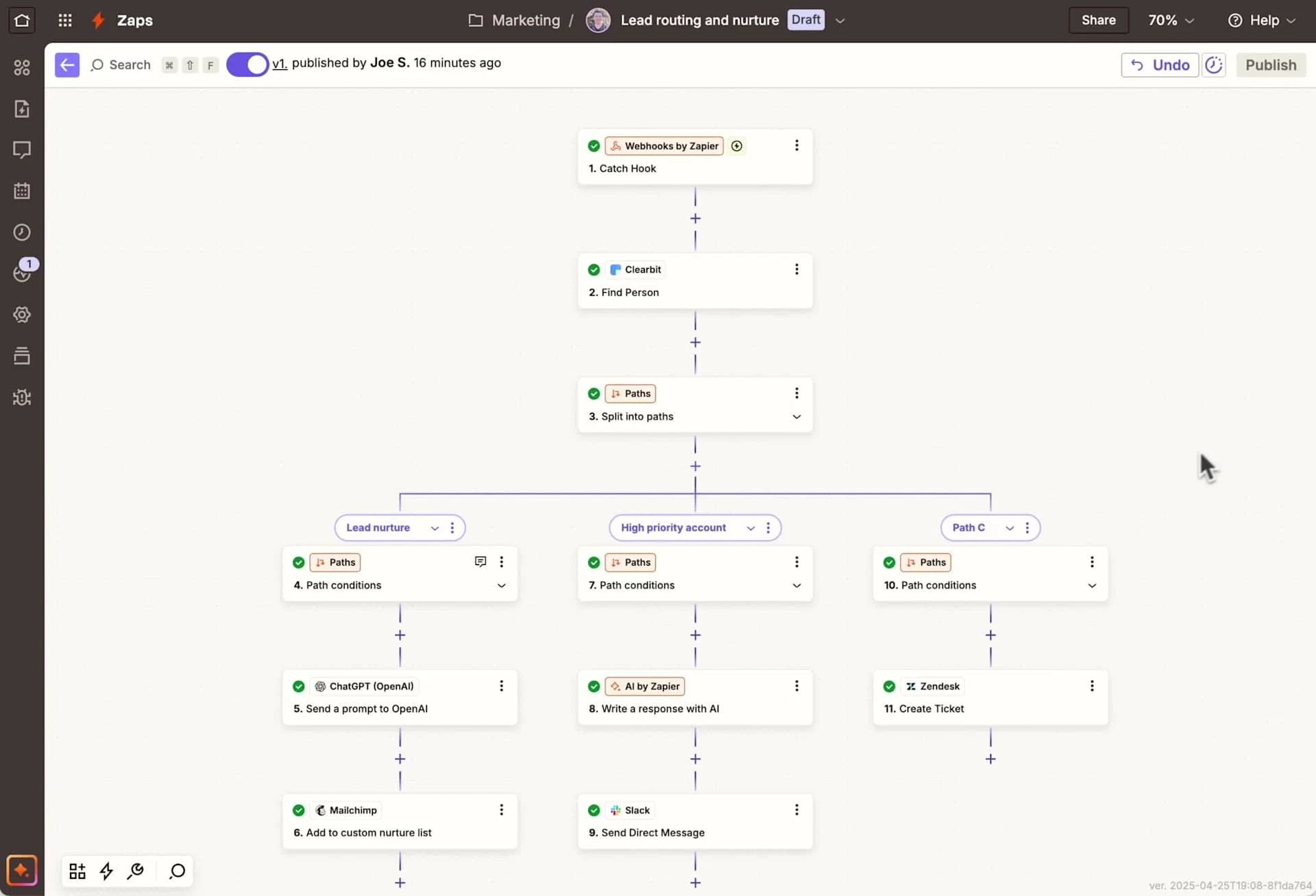
Zapier handles the gaps between apps. A new form submission can create a customer record and trigger a team notification. An AI step can help categorize text before it is routed to the right place. Copilot helps build the workflow from a description.
Core features
For a small team, this matters when lead details sit in an inbox until someone copies them elsewhere. The benefit is a reliable handoff between systems you already use, without building a custom integration for every pair of apps.
Ideal users
Small teams connecting existing forms, customer systems and team apps.
Pricing
Free includes 100 tasks/month and two-step workflows: one trigger and one action. Multi-step workflows require a paid plan. A standard successful action, such as creating a contact, usually uses one task; triggers do not. AI steps can have different rates. Cost depends on the task tier and billing term, so a workflow that runs for every lead can cost much more than one that runs weekly.
Pros and cons
Pros: Existing app connections reduce repeated data entry and handoffs.
Cons: Costs rise with usage, and complex workflows need maintenance.
User feedback
A startup discussion weighs easy setup against the bill; a longtime user describes rising spending and broken workflows as their usage grew. These are individual accounts, but the tradeoff is relevant: quick setup can be worth paying for, while a large network of automations still needs an owner.
9. HubSpot Marketing Hub: best for email tied to customer relationships
HubSpot is useful when “send an email” really means “send the right email to the right people, and let sales see what happened.” Its email tools share data with the CRM, the system that stores customer records. You can group contacts by their needs and send each group a relevant message.
Core features
That connection helps a growing team work from the same contact history. A campaign is linked to an audience and its activity, rather than leaving email results in one tool and sales follow-up in another. AI-assisted writing helps create the message, but the customer data is the stronger reason to choose the platform.
Ideal users
Teams that need shared customer records for marketing, sales and segmented email.
Pricing
Free tools are available. Paid costs depend on the edition, seats and number of marketing contacts. Professional carries a $3,000 one-time onboarding fee in addition to its subscription, making the step up significant for a small team.
Pros and cons
Pros: Email and sales follow-up can share the same customer history.
Cons: Advanced automation and reporting depend on the edition; upgrades are costly.
User feedback
In HubSpot’s public community, a user describes a workflow that identifies target accounts, researches them and drafts outreach for a sales representative to review. That is a stronger use case than standalone email writing. Separately, users report incorrect industry labels in data enrichment. If those labels drive your audience segments, bad input can send good copy to the wrong people.
Which AI marketing tool is right for you?
Claude or Jasper: Claude fits varied research, positioning and writing tasks. Jasper’s saved brand and audience settings are more useful for repeat campaign production.
Canva or Buffer: Canva Pro’s Content Planner can cover some scheduling needs when you create the assets in Canva and publish infrequently. Buffer is more focused on managing a regular queue across channels.
Zapier or HubSpot: Choose Zapier to connect and keep your existing tools. Consider HubSpot when you want customer records and email marketing in one platform.
If you also need help deciding where marketing should start and which opportunities to pursue, visit Tomako to see how it organizes marketing work around your product.
Tiny is a co-founder of Tomako, working across the full path from growth strategy to channel execution. His experience spans influencer marketing, affiliate marketing, SEO/GEO, and paid acquisition. As an indie maker and creator, he is especially interested in how small teams can make better growth choices with limited resources. On the Tomako Blog, he writes about channel decisions, practical execution, and lessons from building and growing products.
 Tiny
Tiny