Platform-sized images
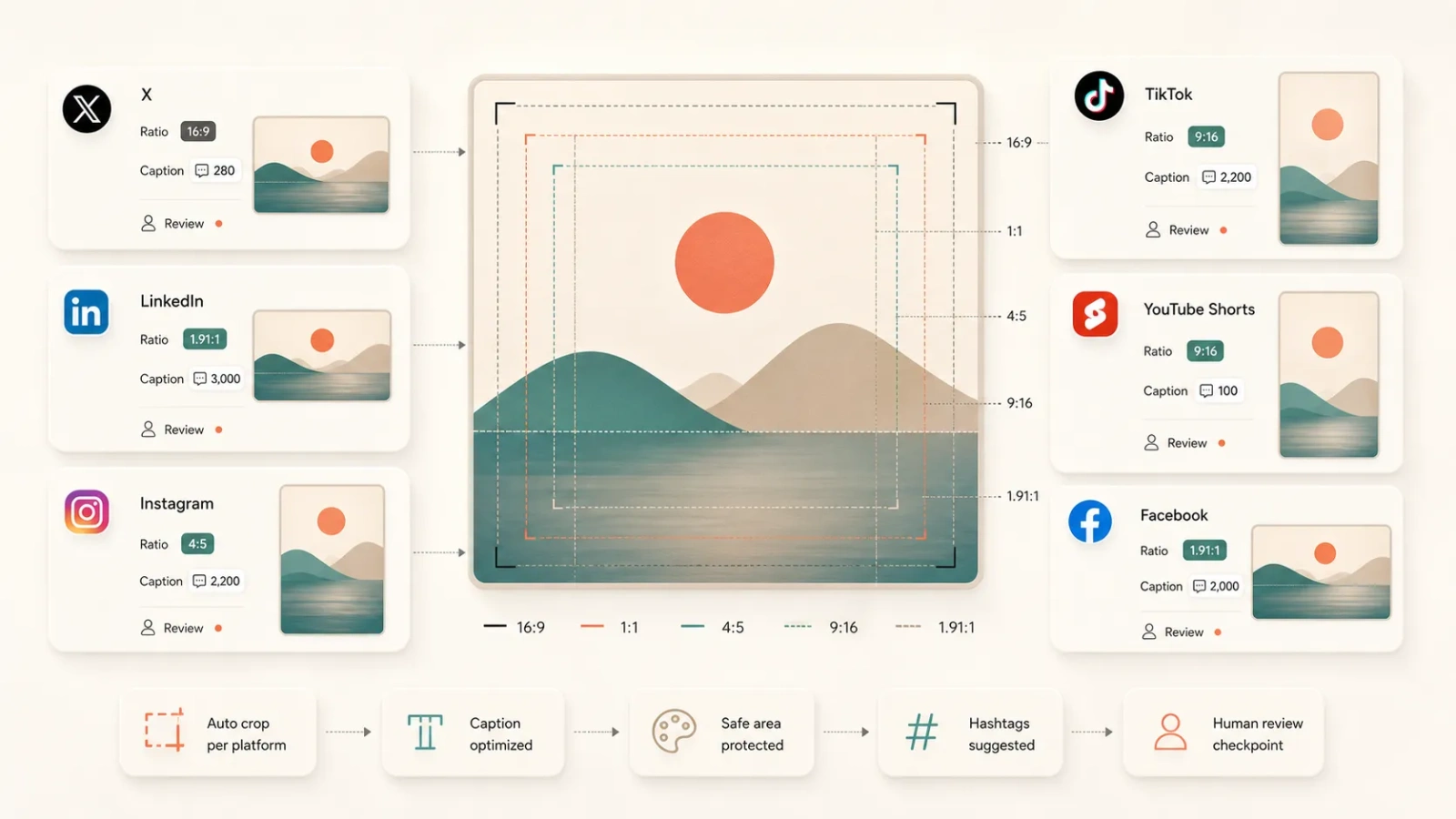
Adapt the first uploaded image into common X, LinkedIn, Instagram, TikTok, YouTube Shorts, or Facebook publishing ratios with preview and download.

Tool task
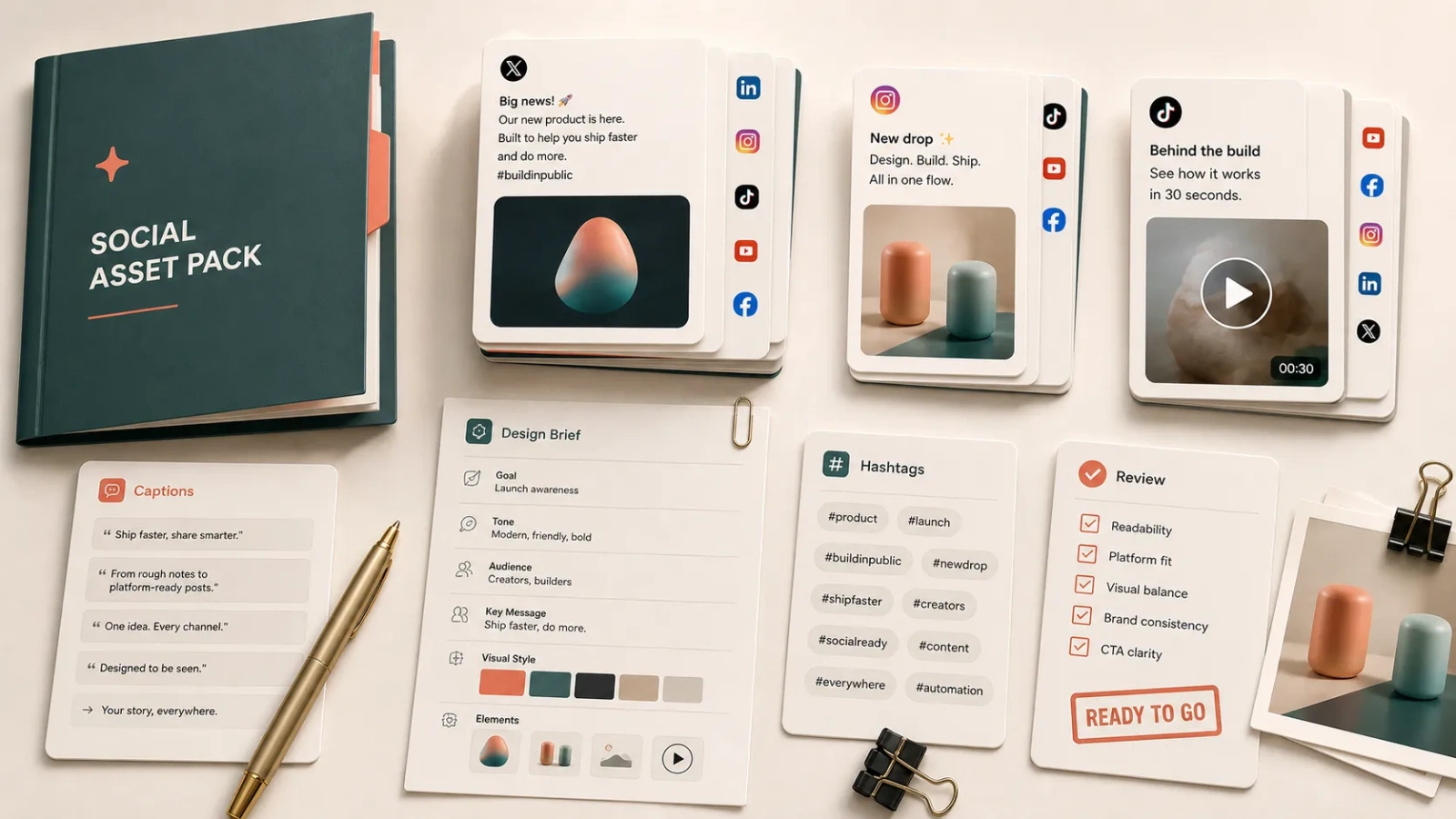
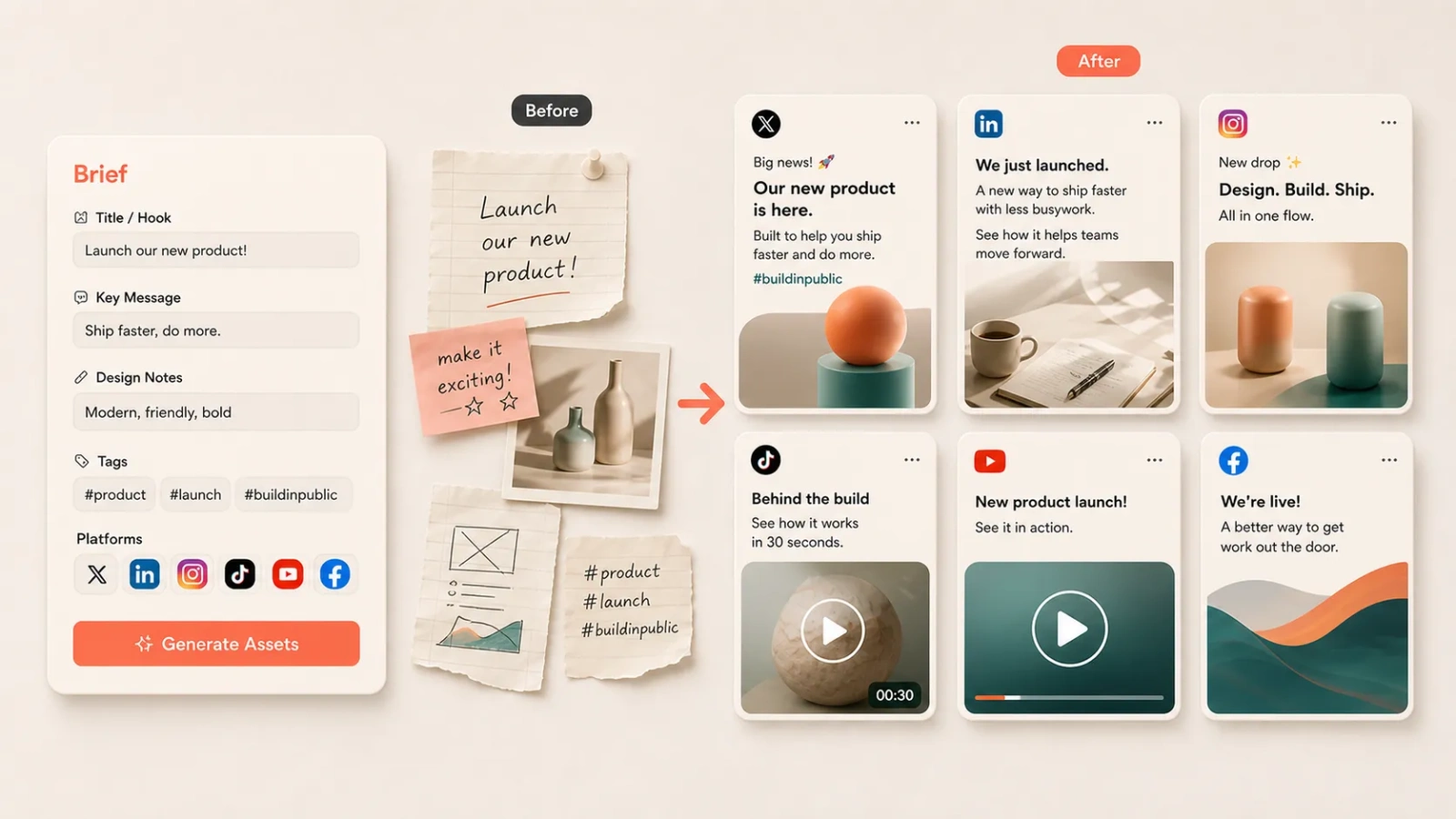
Turn one existing image into multi-platform social assets: generate common platform image sizes first, then add titles, captions, tags, format notes, and a human review checklist.
Upload an existing screenshot, cover, product image, or mockup, then choose target platforms. The browser first creates platform-sized image previews and downloads; title, copy, tags, and constraints are sent to the generation task for companion publishing drafts.
Adapt the first uploaded image into common X, LinkedIn, Instagram, TikTok, YouTube Shorts, or Facebook publishing ratios with preview and download.
Build platform-specific hooks, caption rhythm, emphasis, and action cues around the same visual asset.
Keep existing tags, add restrained platform tags, and surface ratio, framing, risk, and pre-publish checks.
Download image outputs and copy the text result as Markdown so social, design, or launch workflows can keep moving.
Fits product launches, feature updates, campaign teasers, case-study reuse, content distribution, and community operations.
Input can be incomplete: an image alone can produce sized previews; adding title, copy, tags, audience, or constraints makes the publishing draft more useful.
Image adaptation is deterministic in the browser: it preserves the source image, adds a soft background for mismatched ratios, and does not invent new visual content.
The output is a draft and review aid. It does not auto-publish and does not represent platform approval, trademark clearance, copyright clearance, or ad compliance.
The tool does not log in to third-party platforms, check account permissions, read private content, auto-post, or schedule content.
Local image adaptation creates common size previews, but it does not perform smart cutouts, generative outpainting, subject detection, or real-time platform rule checks.
Medical, financial, legal, exaggerated-performance, personal-data, or paid-ad claims need human and professional review.
When proof, metrics, sources, or product limits are missing, the result should expose missing information and risk notes instead of inventing support.
Who the audience is and what this post should make them do.
Which image is the main visual and whether a logo, person, UI, or text area must stay visible.
Which lines from the original copy must stay and which are only temporary ideas.
Any forbidden words, brand voice rules, image ratios, subtitle safe zones, or compliance constraints per platform.
Download platform-sized images first, then copy the Markdown into a publishing document for fact, length, and tone review.
Send format notes to a designer, image-generation workflow, or video editor for a more polished visual pass.
Keep risk notes and missing information visible so drafts are not mistaken for approved content.
Turn the best-performing platform version into profile updates, email templates, or launch workflow assets.

Resolve platform framing first, then generate titles, captions, tags, and review checks around the same visual.
The goal is not just making copy shorter; each platform version should carry a different communication job.
Unsupported claims, framing risks, and human review points stay visible instead of being hidden behind polished wording.
Outputs are downloadable, copyable, and usable by social operators and designers instead of being a loose set of sentences.
Size: quickly produce common platform ratios while preserving the source image and safe framing.
Context: platform versions should differ meaningfully while preserving the same source facts.
Ease: the first pass should need an existing image and platform choices, not a full marketing brief.
Trust: missing proof, exaggerated claims, and sensitive platform language should trigger human review notes.
Handoff: results should be easy to download, copy, and pass to design or social operators.
Yes. This version uses the first uploaded image to create JPG previews and downloads in common target platform sizes. It preserves the source image and adds a soft background for mismatched ratios, but it does not do generative outpainting, smart cutouts, or live platform rule validation.
When the structured generation task succeeds, the page shows platform titles, captions, tags, format notes, risk notes, and a review checklist. Without a valid structured result, it will not fake final copy with a local template.
Review it first. The tool returns image outputs and publishing drafts, but it does not replace platform rules, copyright, trademark, ad-compliance, or fact checks.
No. It creates downloadable and copyable material only. It does not log in to third-party accounts, schedule posts, publish content, or check account permissions.
After adapting social images and publishing drafts, continue shaping profile assets or turn the same message into email templates.