To track influencer conversions reliably, give every creator a stable ID and connect it to a unique UTM link and promo code. Record the final purchase or lead in your source-of-truth system, then reconcile the records by order or lead ID. Do this before the creator publishes anything.
The important qualification is that no single signal catches every conversion. Links can be lost, promo codes can be shared, and post-purchase surveys reflect memory rather than verified clicks. Use several signals, but count the customer only once.
This guide gives you the complete setup for ecommerce purchases and B2B leads, plus a test checklist and a deduplication rule you can copy into your campaign process.
Key takeaways
Track a business outcome, not just views, likes, or clicks.
Use the same creator ID across UTMs, promo codes, briefs, and reports.
Keep the platform that records the purchase or lead as the source of truth.
Use several attribution signals, but deduplicate them by order or lead ID.
Report direct and assisted conversions separately.
Test the full customer journey before every campaign launch.
Define the conversion that matters: purchase, qualified lead, trial, booked call, or another business event.
Create one permanent creator ID for each influencer.
Put that ID into a creator-specific UTM link and promo code.
Capture the final event in GA4 plus your commerce platform or CRM.
Run a test order or test lead before the post goes live.
Merge the results by transaction or lead ID, then label each conversion as direct, assisted, or self-reported.
Today, build the tracking link and complete a test conversion from a phone. An untested checkout link makes the dashboard unreliable.
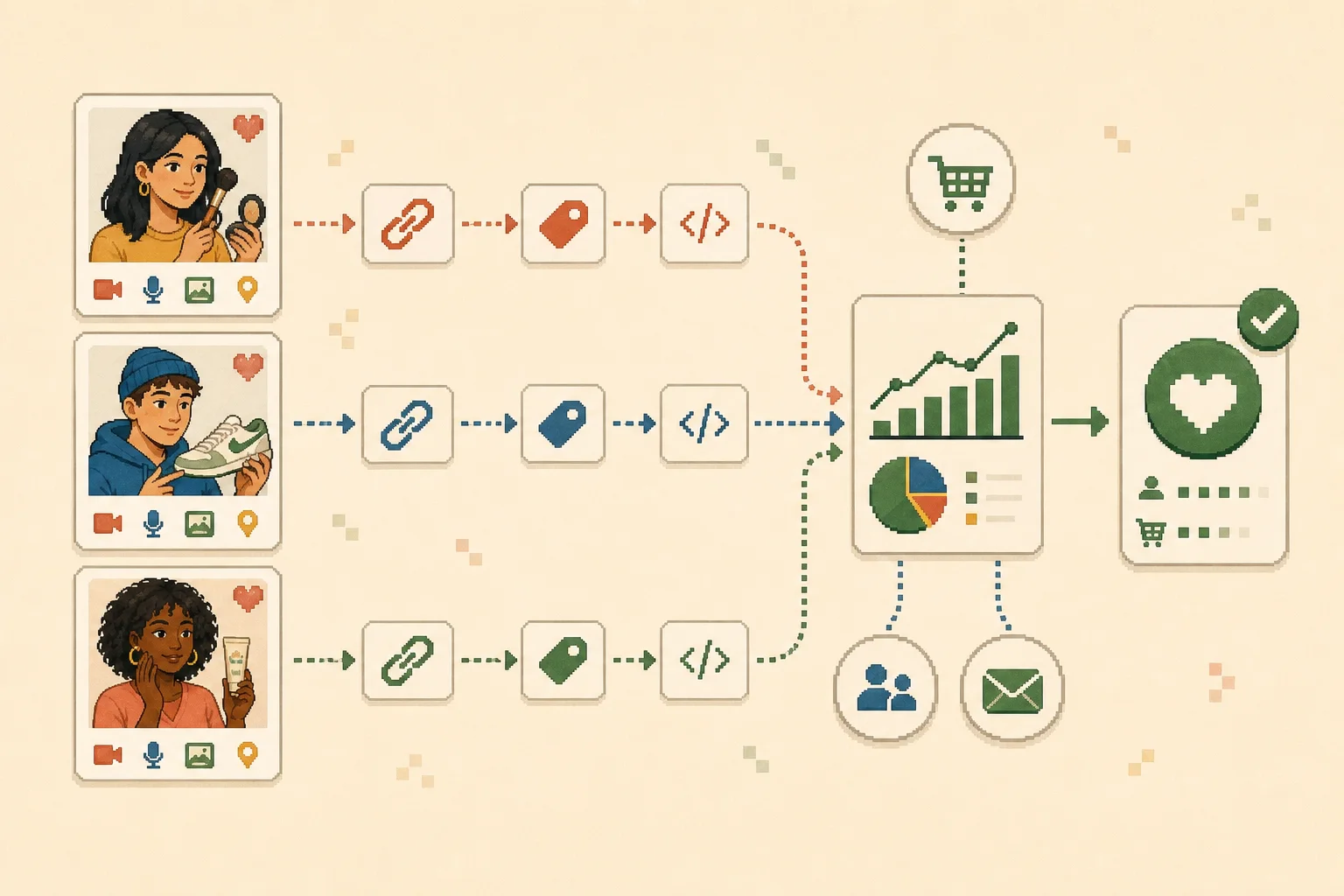
Explanatory illustration: each creator receives a distinct tracking path, while the commerce platform or CRM confirms the final conversion.
Step 1: define the conversion and source of truth
Start with the business decision. A video view is not revenue, and a form submission is not automatically a qualified lead. Choose one primary conversion and, if useful, one or two supporting events.
Campaign type
Primary conversion
Useful supporting events
Source of truth
Ecommerce launch
Paid order
Product view, add to cart, checkout
Commerce or payment platform
Subscription product
Paid subscription
Trial start, pricing-page visit
Billing platform or product database
B2B lead generation
Qualified lead or booked meeting
Form submission, demo-page visit
CRM
Mobile app
Activated or paying user
Install, registration, trial
Product analytics or subscription system
Newsletter or community
Confirmed signup
Landing-page visit
Email or community platform
The source of truth confirms the outcome. Use GA4 for acquisition and behavior, but let your store, billing platform, CRM, or product database settle the final count.
Decide the counting rule now
Write one sentence before launch:
One conversion equals one unique paid order, qualified lead, or activated account recorded in our source-of-truth system.
Define exclusions for cancelled orders, duplicate leads, tests, internal accounts, refunds, or out-of-market leads. Keep the rule stable across creators.
Step 2: create one creator ID and use it everywhere
A creator's handle is not a dependable database key: handles change, creators use several platforms, and spelling differences split reports.
Create a short permanent ID such as:
text
ig_anna01
yt_marcus02
tt_lena03
Keep the platform prefix only if useful. The ID itself must remain stable. Use it in the brief, creator record, UTM field, promo code, landing page, order or lead export, and final report.
Use a consistent UTM convention
Google Analytics recommends using utm_source, utm_medium, and utm_campaign and warns that parameter values are case-sensitive. Consistent lowercase naming prevents one campaign from breaking into several report rows. See Google's current custom campaign URL guidance.
Do not improvise a new naming style for each creator. Instagram, instagram, and ig become separate values in case-sensitive reports.
Add a unique promo code
Give each creator a code that maps to the same creator ID, such as ANNA15. A promo code can recover purchases from people who saw the content but later visited directly or switched devices.
Codes can be reposted or shared. Treat a code-only order as a direct creator signal, but flag that no link was observed. Apply the same creator ID to affiliate tracking. Let the affiliate system calculate commission, but let commerce or billing confirm final order status.
Step 3: configure the conversion destination
The setup now splits into two paths. Ecommerce teams need order-level evidence. B2B teams need lead-level evidence that survives the handoff from a form to the CRM.
Ecommerce: GA4 plus Shopify or another commerce platform
In GA4, make sure the business event is collected before you depend on it in a report. Google's documentation says an event must exist—or be created—before you can mark it as a key event. The change is not retroactive, and standard reports may take time to update. Review the official GA4 key-event setup.
Build a creator-level GA4 exploration
Google maps utm_content to Session manual ad content, which makes a free-form exploration useful for comparing creator IDs.
In GA4, open Explore, create a blank free-form exploration, and import Session manual ad content, Session manual campaign name, and Session source / medium as dimensions.
Import Sessions, Key events, and—only if ecommerce revenue is implemented correctly—Total revenue as metrics.
Put Session manual ad content in Rows and the selected metrics in Values.
Filter the exploration to Session medium = influencer and the campaign you want to review.
Compare creator IDs such as ig_anna01_reel01, then export the table for reconciliation.
For a purchase campaign, check that the final event includes a unique transaction ID, revenue and currency, purchased items, campaign dimensions, a timestamp, and a test flag when relevant.
If you use Shopify, create a separate shareable link or custom UTM combination for every creator. Shopify's documentation explicitly gives influencer marketing as a use case for creator-specific UTM parameters. Its Campaigns reports can show orders, sales, sessions, and sales by UTM parameter. Review Shopify's current Campaigns documentation before implementation.
Do not assume Shopify and GA4 will show identical totals. They can use different attribution rules, windows, identity signals, and processing schedules. Choose which system owns the paid-order count, then use the other as supporting acquisition evidence.
B2B: landing page plus GA4 and CRM
For lead generation, preserve the creator ID after the visitor submits the form. A click report alone cannot tell you whether the lead became qualified or entered pipeline.
Capture first-touch and latest-touch UTMs, creator ID, campaign ID, landing page, submission time, and the lead or contact ID. Pass those values into the CRM as hidden fields or through your approved integration, then map the record to qualified lead, booked meeting, opportunity, and customer stages.
For Marketo, configure hidden form fields to accept URL parameters. Adobe's current Marketo URL Builder guide shows how to assign fields and values and generate the tagged URL. Test the resulting lead record rather than assuming the visible URL proves the handoff worked.
Do not overwrite the original creator values every time the lead returns through another channel. Store first touch and latest touch separately if both matter to your reporting.
Subscriptions, app installs, and offline registrations
Newsletter or paid-content signup: Use a creator-specific landing-page link, preserve the creator ID through the signup form, and confirm the subscriber in the email or billing platform. If the platform drops query parameters, add a referral field or unique code. Count the confirmed subscriber, not the landing-page click.
App download: Use a creator-specific deep link or campaign link and preserve the creator ID through the app-store or measurement handoff. Treat install, activation, trial, and paid subscription as separate events.
Offline event registration: Give each creator a unique registration URL, QR code, or code. Use the ticket or registration ID as the join key, then reconcile attended versus registered status after the event.
If links, cookies, or forms collect personal data from people in the EU or California, review the applicable EU data-protection requirements and CCPA responsibilities with your privacy or legal team. Provide required notices and consent, minimize collected fields, and define retention rules. This is an implementation reminder, not legal advice.
Step 4: test the full journey before the creator posts
Never approve a tracking link because it “looks correct.” Open it on a real mobile device and complete the same journey you expect from a customer.
Test-order checklist for ecommerce
Open the exact creator link from a phone.
Confirm the landing page loads and the UTM parameters remain available.
Add the expected product to the cart and apply the creator's promo code.
Complete a purchase using the team's approved test method.
Confirm the analytics event fires exactly once.
Confirm the order appears with a unique order ID and the expected creator ID.
Refund or mark the test transaction so it cannot enter final results.
Test-lead checklist for B2B
Open the creator link in a private browser window.
Submit the form using a clearly labeled test contact.
Confirm the form success state and analytics event.
Inspect the creator and UTM fields in the CRM record.
Move the test lead through one downstream stage.
Confirm that stage remains connected to the same lead ID, then exclude the test contact.
Also test redirects and shorteners. A shortened link can work while silently dropping the query parameters that identify the creator.
Exclude QA traffic from production reporting. For GA4 web streams, define internal traffic by IP, create an Internal Traffic data filter, and put it in Testing before activating it. Google warns that an active exclusion is permanent for affected data; validate the test filter in Explore first. See the official GA4 internal-traffic setup. This rule does not cover app users, so label test installs, orders, and leads separately too.
Step 5: build a creator conversion ledger
Assign ownership before a dashboard combines the data.
Metric or evidence
Primary owner
Join key
Use in reporting
Clicks and sessions
Analytics or link tracker
Creator ID + campaign ID
Traffic and funnel diagnosis
Paid orders and net sales
Commerce or payment platform
Order ID
Direct ecommerce conversions
Leads and pipeline stages
CRM
Lead/contact/opportunity ID
B2B conversions and quality
Promo-code use
Commerce platform
Order ID + creator code
Direct creator signal
Affiliate commission
Affiliate platform
Order or transaction ID
Payout calculation
Post-purchase response
Survey or order record
Order ID
Assisted or self-reported evidence
Creator brief and follow-up
Creator workflow system
Creator ID + campaign ID
Operational context, not attribution truth
Export or sync these fields into one creator conversion ledger:
A controlled spreadsheet is enough for an early campaign if one person owns the fields and naming rules.
Step 6: deduplicate and classify every conversion
The same purchase may appear in UTM, promo-code, affiliate, and survey reports. Deduplicate by the unique order, lead, or transaction ID—not creator name or date.
Import confirmed orders or leads from the source-of-truth system.
Join analytics, code, affiliate, and survey evidence to each unique ID.
Keep one row per business conversion.
Preserve every observed signal in separate columns.
Apply a documented attribution label.
Use these labels:
Direct—link: a creator-specific click connects to the confirmed conversion.
Direct—code: the confirmed conversion used the creator's code, but no creator click was observed.
Direct—multiple signals: link and code point to the same creator; count one conversion.
Assisted: the creator appeared in the journey, but another channel received final direct attribution.
Self-reported: the customer named the creator, but no link or code was observed.
Unattributed: no dependable creator signal exists.
Choose a conflict rule before results arrive. For example, prefer a verified creator click, then a creator code, then self-reported evidence. If two creators have competing direct signals, flag the row for review instead of giving both full credit. This is a reporting policy, so publish it internally.
How to tell whether a creator actually performed well
Compare creators at the stage they could reasonably influence and keep the sample size visible. For ecommerce, prioritize confirmed orders, net sales after refunds, landing-page conversion rate, revenue per tracked click, new-customer share, and code-only versus link-observed orders. For B2B, prioritize qualified leads, booked meetings, opportunity creation, time to the next stage, and pipeline value clearly labeled as pipeline—not revenue.
A useful creator is not always the one with the most conversions. Lower volume with a higher qualification rate may be more valuable than many weak leads. Compare similar formats, audiences, offers, and campaign periods instead of forcing every result into one score.
When you are ready to calculate profit rather than track events, use the separate influencer marketing ROI guide. It covers cost, return, and attribution ranges without duplicating this implementation workflow.
Two worked examples
Ecommerce: one purchase, three signals, one conversion
Assume creator Anna receives ID ig_anna01, a tagged Instagram link, and code ANNA15.
A customer taps Anna's Reel, leaves, returns that evening, and checks out with ANNA15. Shopify records order 10482; GA4 shows the earlier campaign session.
Record one row for order 10482 with utm_observed=yes, promo_code_observed=yes, and Direct—multiple signals. It remains one purchase. If the customer later answers “Instagram creator” in a survey, keep that response as supporting evidence on the same row. Do not add another conversion.
B2B: one creator click, one qualified lead
Assume creator Marcus receives ID yt_marcus02 and links to a webinar landing page.
A viewer submits the form through the description link. Hidden fields send youtube, influencer, the campaign name, and yt_marcus02_video01 into the CRM. The lead later qualifies and books a call.
Report one qualified lead and one booked meeting connected to the same lead ID. Do not call the opportunity value revenue, and do not create a second lead when the contact returns through an email reminder.
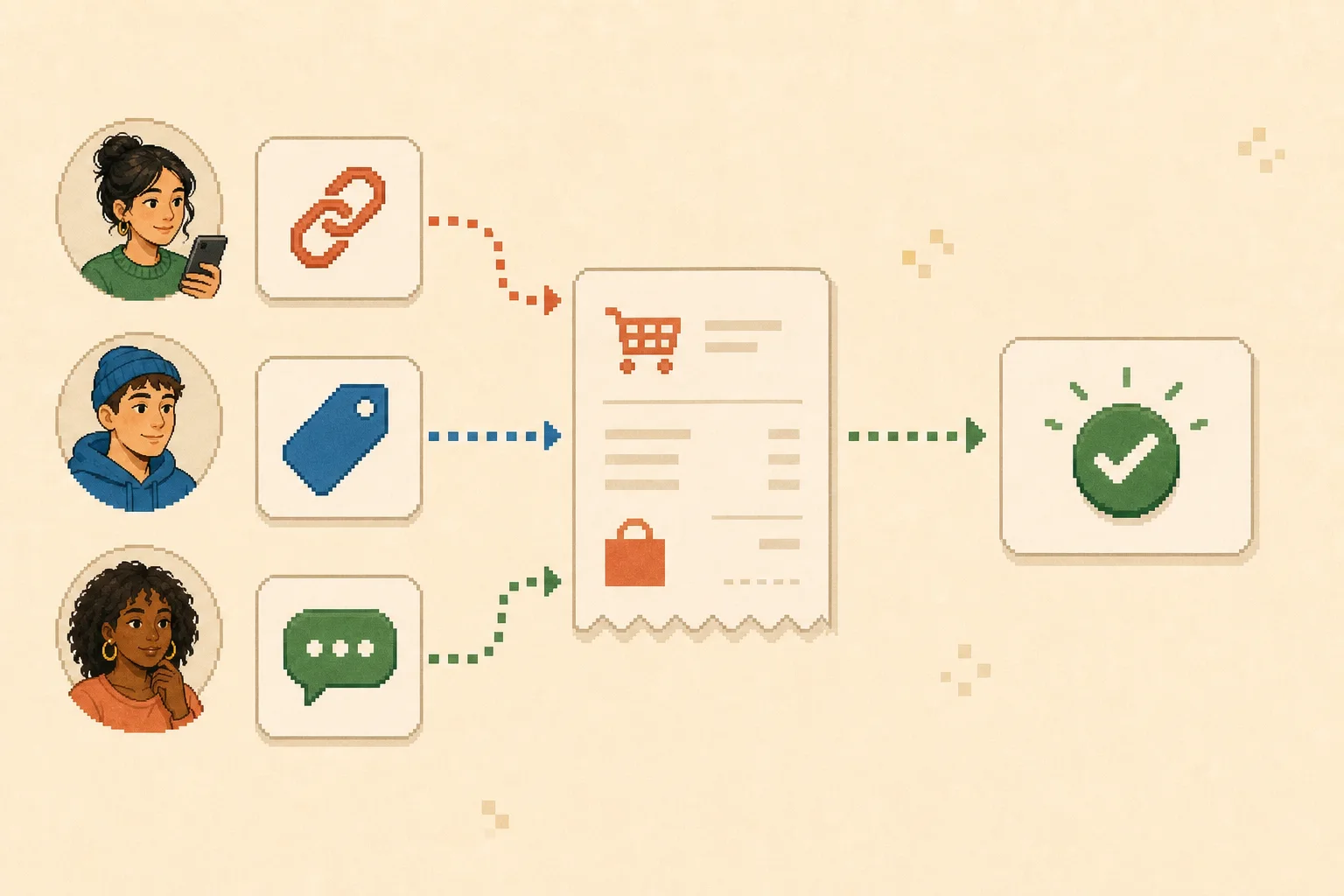
Explanatory illustration: three attribution signals enrich one order record; they do not create three orders.
Where Tomako fits in the tracking workflow
Based on the current public product positioning reviewed on September 3, 2026, Tomako prepares growth work across creators and other marketing areas. It should not be presented as the system that confirms a purchase, qualifies a CRM lead, or performs complete attribution.
Its useful position is the operational layer around the conversion record: keep each creator's opportunity context, campaign decision, ID, outreach work, and next action connected.
For example, use the same ig_anna01 identifier in the creator workflow and conversion ledger. If the review shows code-only purchases but weak tracked traffic, check whether Anna used the correct link before deciding that her audience ignored it. The result is a cleaner handoff to the analytics, commerce, CRM, or finance system that owns the conversion.
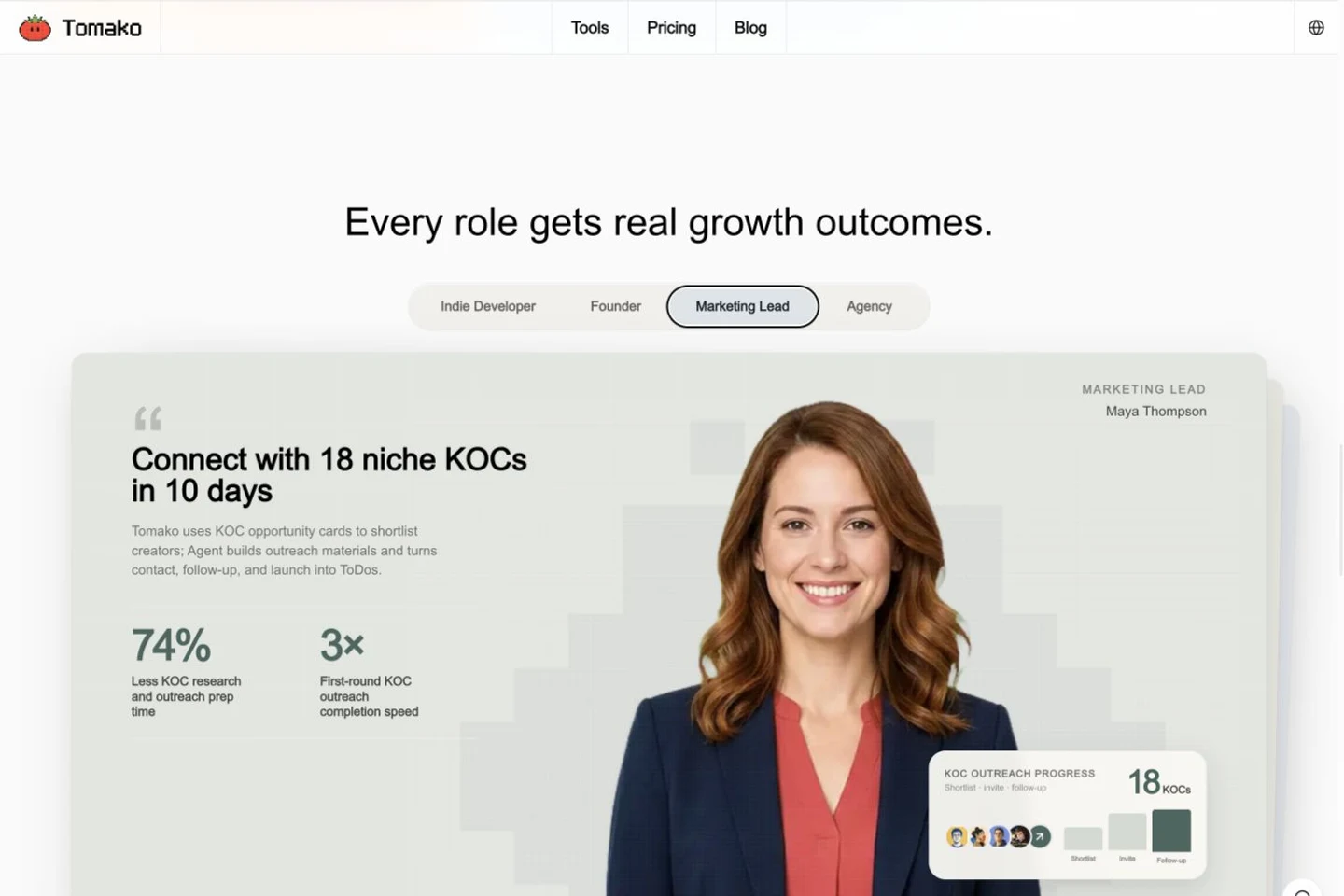
Source: Tomako's public website demonstration, reviewed September 3, 2026. It illustrates creator-work orchestration; it is not a customer result or proof of conversion attribution.
What is the best way to track influencer conversions?
There is no single best signal. The most reliable setup combines a creator-specific UTM link and promo code with a confirmed purchase or lead from your commerce platform, billing system, or CRM. Join the signals by order or lead ID so one customer is counted once.
Are promo codes enough to track influencer sales?
No. Promo codes catch some sales that lose the original click, but codes can be shared or copied to coupon sites. Combine them with creator-specific links and order-level records.
How do I track influencer conversions in GA4?
Create consistent UTM links, confirm the required event is collected, and mark the relevant event as a key event when appropriate. Test the journey and review campaign dimensions in acquisition reports. Use the final commerce or CRM record to confirm the business outcome.
How do I track influencer conversions in Shopify?
Create a separate shareable link or UTM combination for each influencer, then review campaign orders, sales, sessions, and UTM data in Shopify. Keep the order ID as the deduplication key and account for refunds or cancellations in the final analysis.
How can I track influencer conversions without an affiliate program?
Use creator-specific UTM links, unique promo codes, hidden form fields, and a post-purchase or lead-source question. An affiliate platform is helpful for payout management, but it is not required for basic creator-level tracking.
What is the difference between engagement and conversion tracking?
Engagement tracking measures actions such as views, likes, comments, saves, and clicks. Conversion tracking connects creator activity to a business outcome such as a purchase, qualified lead, trial, or subscription.
How long should an influencer attribution window be?
There is no universal window. Choose one that reflects the normal buying cycle, then use it consistently across creators. Report the window and model with the result so readers understand what was counted.
How do I avoid double counting influencer conversions?
Start with confirmed orders or leads, then join UTM, promo-code, affiliate, and survey signals to the same unique transaction or lead ID. Keep one row per conversion and store the different signals in separate fields.
Final recommendation
The most reliable way to track influencer conversions is a layered setup with one stable creator ID, a unique UTM link, a unique code, a verified purchase or lead event, and a ledger that deduplicates every signal by transaction or lead ID.
Start small. Build the fields for one creator, complete one test conversion, and trace it from the public link to the final business record. Once that path works, duplicate the setup—not the improvisation—for the rest of the campaign.
If measurement works but creator opportunities, campaign reasoning, and follow-up are scattered, use Tomako to organize the next growth action. Keep GA4, Shopify, your CRM, and your finance system responsible for the conversion facts they own.
Ricky works across influencer marketing, SEO/GEO, and AI-enabled growth workflows, with experience in prompt engineering and development. Her focus goes beyond visibility: connecting research, content production, search presence, and execution into a workflow a team can actually use. On the Tomako Blog, she writes about reusable research methods, content and search strategy, and how AI can help teams move concrete growth work forward.
 Ricky
Ricky